The 8 Best Habit Tracker Apps of 2026, Compared
Quick answer: On an iPhone, buy Streaks: it costs $5.99 once, has no subscription, and ticks off health habits automatically from Apple Health. If you need your habits on Android, a Mac and the web as well, Habitify is the cross-platform pick, though it's a subscription. On Android, Loop Habit Tracker is completely free, open source and ad-free, and HabitKit is the best one-time-purchase option that runs on both phones.
Our picks at a glance:
- Best for iPhone: Streaks
- Best cross-platform: Habitify
- Best simple tracker for iPhone and Android: HabitKit
- Best free app for Android: Loop Habit Tracker
- Best for habits plus to-dos on Android: HabitNow
- Best for spotting patterns: Way of Life
- Best if you want it to feel like a game: Habitica
- Best gentle option: Finch
Habit trackers are simple apps, and that is exactly why the pricing matters more than the feature list. Almost all of them do the same core job: you list a few habits, tap when you do them, and watch a streak or a grid fill in. Where they differ is in how they charge. Some sell the whole app once (Streaks), some give you a small free allowance and sell unlimited habits as a one-time unlock (HabitKit, HabitNow), and some push you toward a yearly subscription (Habitify, Way of Life). Before you commit, count how many habits you actually want to track. If it's three or four, several of these are free forever.
The second question is which phones you use. Streaks is Apple-only. Loop and HabitNow are Android-only. Habitify is the one app here that syncs across iPhone, Android, Mac and the web. HabitKit runs on both phones but doesn't sync between devices. If your habits are really a to-do list in disguise, our project management roundup covers Todoist, which handles recurring tasks well.
How they compare
| App | Best for | Free tier | Paid | Platforms |
|---|---|---|---|---|
| Streaks | iPhone and Apple Watch | None | $5.99 once (up to 24 tasks) | iPhone, iPad, Apple Watch, Mac, Vision Pro |
| Habitify | Cross-platform sync | 3 habits | Subscription ($29.99/yr Plus on the App Store); $59.99 lifetime on its site | iPhone, iPad, Mac, Apple Watch, Android, web |
| HabitKit | Simple visual tracking | 4 habits | Pro monthly, yearly or lifetime (check in app) | iPhone, Android |
| Loop Habit Tracker | Free Android tracking | Everything, no ads | None, open source | Android |
| HabitNow | Habits plus to-dos | 7 habits | One-time Premium (Zapier quotes $11.99) | Android |
| Way of Life | Spotting patterns | 3 habits | Premium for unlimited habits (check in app) | iPhone, Android |
| Habitica | Gamified habits | Nearly everything | Optional $4.99/mo or $47.99/yr | Web, iPhone, Android |
| Finch | Gentle self-care | Core app | Optional Finch Plus (check in app) | iPhone, Android |
1. Streaks: Best for iPhone
- Developer: Crunchy Bagel Pty Ltd
- Works on: iPhone, iPad, Apple Watch, Mac and Apple Vision Pro
- App Store: 4.8/5 (27,351 ratings)
- Price model: one-time purchase, no subscription
Streaks is the habit tracker most Apple users should start with, and it's the rare one where the price is the whole story: $5.99 once, with no subscription or in-app upgrade (the description mentions only an optional tip jar). Zapier's habit tracker roundup calls it "the standout habit tracking app for iPhone users." It links to the Health app, so goals like walking 5,000 steps or logging a workout can complete themselves from your iPhone or Apple Watch data. Habits sync between your devices through iCloud, the Apple Watch app has complications, and you can schedule a habit for specific days or a set number of days per week, so a rest day doesn't break your streak.
The catch is the hard cap: Streaks lets you choose or create up to 24 tasks, which is plenty for habits but not if you hoped to use it as a full routine planner. It's also Apple-only, so if you ever switch to Android your history stays behind. Zapier's one complaint is that "the design might not be for everyone." It has been on the App Store since 2015, and its site lists an Apple Design Award win.
Free tier
None: the app is a paid download
Price
$5.99 once on the App Store, covering iPhone, iPad, Apple Watch and Mac; optional tip jar
What works
- One payment, no subscription
- Health app habits tick off on their own
- Excellent Apple Watch app
What doesn't
- Capped at 24 tasks
- No Android or web version
- Love-it-or-hate-it design
Video walkthrough: Streaks App: Simple Habit Tracker for IOS and MacOS by Lawrence He
2. Habitify: Best cross-platform

- Developer: Unstatic Ltd Co
- Works on: iPhone, iPad, Mac, Apple Watch, Android and the web
- App Store: 4.6/5 (7,139 ratings)
- Price model: free for 3 habits, then subscription or lifetime
Habitify is the one to pick if your habits need to follow you from an Android phone to a Mac to a browser tab. Zapier calls it "one of the best cross-platform habit tracking apps around" and likes that you can group habits into areas such as Morning or In the Gym, attach a checklist to each habit, and log mood and notes. Its strongest feature is automatic tracking: it connects to Apple Health, Google Health and Fit, Fitbit, Strava, Screen Time and RescueTime, and it supports an API, MCP, Siri and Zapier and IFTTT integrations, so you can tick off a habit by finishing a run or a task somewhere else.
The catch is cost, and how confusing that cost is. The free plan stops at 3 habits. Habitify's own pricing page lists Premium at $2.49 a month billed annually, or $59.99 once for a lifetime license. The App Store splits the paid side into Plus ($29.99 a year, for unlimited habits and custom areas) and Pro ($8.99 a month or $49.99 a year after a 7-day trial, which adds the automatic integrations and timers). Zapier says the pricing is "wildly inconsistent" between platforms and even between screens in the app, so compare the offers before you pay.
Free tier
$0: 3 habits, cross-platform sync
Paid from
Plus $29.99/yr on the App Store (unlimited habits); Pro $8.99/mo or $49.99/yr with a 7-day trial (adds Apple Health and app integrations, timers); website lifetime Premium $59.99
What works
- Syncs across every major platform
- Auto-tracking from health and fitness apps
- API, Zapier and IFTTT for automation
What doesn't
- Free plan stops at 3 habits
- Prices differ by platform
- Auto-tracking is a Pro feature on the App Store
Video review: Is Habitify the BEST Habit Tracker? by Demetri Panici
3. HabitKit: Best simple tracker for iPhone and Android
- Developer: Sebastian Roehl (a solo developer)
- Works on: iPhone and Android
- App Store: 4.8/5 (2,468 ratings)
- Price model: free for 4 habits; Pro by subscription or one-time lifetime
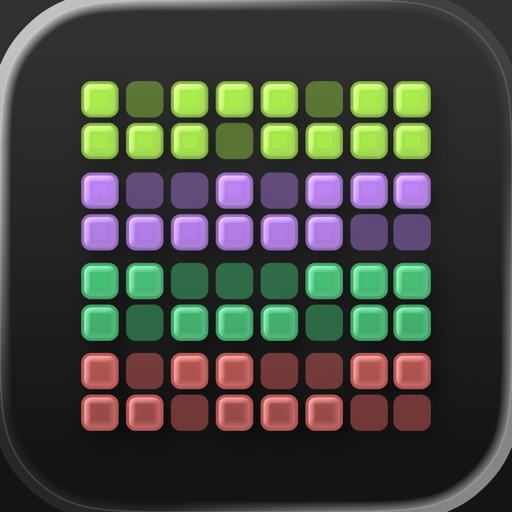
HabitKit turns each habit into a year-long grid of tiles, like a GitHub contribution chart: one tap fills in today, and the pattern does the motivating. TapSmart called it "a sharp, simple, visually led habit tracker." There's no account to create, it works offline, and you can set goals like 3 times a week so a missed day doesn't wreck anything. Habits can be yes or no, a count, or a measured amount with a unit, and there are "quit" habits with a stay-below limit. The developer says more than 500,000 people use it.
The free version covers up to four habits with streaks, stats, notes and reminders, which is enough for a lot of people. Pro adds unlimited habits, home screen widgets, backup import and export and archived-habit restore, and you can pay monthly, yearly or once for lifetime. The App Store lists several price points for each (lifetime appears at both $14.99 and $29.99), so check what the app offers you. The bigger limitation: HabitKit's help page says it "does not automatically sync changes between devices," so it isn't the app for an iPhone-plus-iPad setup.
Free tier
$0: up to 4 habits with streaks, statistics, notes and reminders; no ads, no account
Paid
HabitKit Pro monthly, yearly or lifetime (one-time): unlimited habits, widgets, import and export, archive restore, up to 3 reminders per habit
What works
- The clearest visual progress of any app here
- Lifetime option instead of a subscription
- No account, works offline
What doesn't
- No sync between devices
- Widgets need Pro
- Store price points vary
Video roundup: Make Some New Habits With iOS by iOS Today (covers HabitKit and (Not Boring) Habits)
4. Loop Habit Tracker: Best free app for Android
- Developer: Alinson Santos Xavier, open source on GitHub
- Works on: Android (Google Play and F-Droid)
- License: GPLv3, no ads, no in-app purchases
- Latest release: v2.3.1 (August 2025)
Loop is the answer to "is there a good habit tracker that's actually free?" Everything is included, there are no ads, and the code is open source under GPLv3, with more than 10,000 stars on GitHub. It doesn't need an account or even an internet connection, and your data stays on your phone. Its smartest idea is the habit score: instead of resetting to zero when you miss a day, every repetition makes the habit stronger and every miss makes it a bit weaker, so a few missed days after a long run don't erase your progress. It handles schedules like 3 times a week or every other day, has home screen widgets, and lets you check off a habit right from the reminder notification.
The trade-offs come with the model. It's Android only (the iPhone apps called Loop in the App Store are unrelated clones), there's no cloud sync, and backups are a manual CSV or SQLite export. The design is plain Material Design rather than anything playful, and there are no integrations with fitness apps. Updates come at an open-source pace: the last tagged release was v2.3.1 in August 2025, though the repository was still active in July 2026.
Free tier
$0: everything, including unlimited habits, widgets, reminders, charts and export
Paid
None
What works
- Completely free, open source and ad-free
- Habit score forgives the odd missed day
- No account, data stays on your phone
What doesn't
- Android only
- No sync, manual backups only
- Plain design, no integrations
5. HabitNow: Best for habits plus to-dos on Android
- Developer: HabitNow Apps
- Works on: Android
- Google Play: 5 million+ downloads, updated July 2026
- Price model: free for 7 habits, then a one-time Premium upgrade
HabitNow is Zapier's pick for Android, and the reason is a generous free tier: up to seven habits, which Zapier says "is more than enough for most people." Habits can be a simple yes or no, a number, or a timed activity using the built-in stopwatch, countdown or interval timer, and you get streaks, completion rates, a calendar view and widgets. It also mixes in recurring tasks and one-off to-dos, so a reminder to buy running shoes can sit next to the running habit.
When you outgrow seven habits, Premium is a one-time purchase rather than a subscription. Zapier quotes $11.99 and says it's often discounted, and the habitnow.app privacy page confirms the "one-time premium upgrade." Premium also adds optional cloud backups. The downsides: it's Android only, and Zapier notes the built-in task features are "pretty basic," so it won't replace a real to-do app.
Free tier
$0: up to 7 habits, tasks, timers, stats and widgets
Paid
Premium, one-time (Zapier quotes $11.99, often discounted): unlimited habits, habit checklists, cloud backup
What works
- Seven free habits is the most generous free cap here
- One-time upgrade, no subscription
- Timers and tasks in the same app
What doesn't
- Android only
- To-do features are basic
- Busier interface than a pure tracker
6. Way of Life: Best for spotting patterns
- Developer: Way of Life ApS
- Works on: iPhone and Android
- App Store: 4.8/5 (5,282 ratings)
- On the App Store since: 2010
Way of Life treats habits as a journal rather than a streak. Each day a habit is marked green, red or skipped (a skip doesn't break your chain), and you can add a note about why. Over time the charts, trend lines and weekly scoreboard show you if you're actually exercising as much as you think. Zapier picks it for "gathering lots of data" and likes that you can set a target chain length (five days without soda, say) instead of chasing an endless streak. Your data exports as CSV, Excel or JSON, and the app can be locked with Face ID.
The free version tracks 3 habits, and the developer's description says "Premium simply unlocks unlimited habits," with no other paywalls. What Premium costs is murkier. Zapier reports $4.99 a month on iPhone; the App Store's in-app list shows Premium at $4.99, $14.99 and $29.99 without saying which period each covers. Zapier's main complaint is that it's "not the most intuitive app to use."
Free tier
$0: 3 habits with all features
Paid
Premium for unlimited habits; Zapier reports $4.99/mo on iPhone, and the App Store lists Premium purchases at $4.99, $14.99 and $29.99
What works
- Notes and charts explain the why, not just the streak
- Skips don't break your chain
- Full data export
What doesn't
- Only 3 free habits
- Premium pricing is unclear until you open the app
- Steeper learning curve, per Zapier
7. Habitica: Best if you want it to feel like a game

- Developer: HabitRPG, Inc.
- Works on: web, iPhone and Android
- App Store: 4.3/5 (3,496 ratings)
- Price model: free, optional subscription
Habitica turns your habits, dailies and to-dos into a retro role-playing game. Checking things off earns experience points and gold for your character, and at level 10 you choose to be a Warrior, Rogue, Healer or Mage. The real hook is social: friends can form a party and fight bosses together, and if one person skips their dailies, the whole party takes damage. Zapier calls it "far and away the hardest habit tracker on this list to use" but also "kind of fun," and its code is public on GitHub.
It's genuinely free: the developer says it "can be fully enjoyed for free," and the paid subscription ($4.99 a month up to $47.99 a year on the App Store) mostly buys cosmetic extras and the ability to buy gems with gold. The downside is the game itself. If you just want to see whether you meditated this week, the RPG layer gets in the way, and Zapier notes the stats are about health and mana rather than completion rates. Its App Store rating is also the lowest of our picks.
Free tier
$0: habits, dailies, to-dos, parties, quests and challenges
Paid
Optional subscription: $4.99/mo, $14.99 per 3 months, $29.99 per 6 months or $47.99/yr; gems sold separately
What works
- Nearly everything is free
- Party accountability is unusually motivating
- Works on web as well as both phones
What doesn't
- The game adds friction to simple tracking
- Weak completion stats
- Lowest App Store rating here
Video overview: Turn Your Life Into a Video Game with Habitica by Demetri Panici
8. Finch: Best gentle option

- Developer: Finch Care Public Benefit Corporation
- Works on: iPhone and Android
- App Store: 4.9/5 (762,350 ratings)
- Price model: free, optional Finch Plus
Finch isn't a habit tracker in the strict sense. It's a self-care app where you look after a small virtual bird by setting daily goals, checking in on your mood, journaling and doing breathing exercises; completing goals gives your pet energy to go on adventures. That framing is why it works for people who quit stricter trackers: a missed day doesn't show up as a broken red chain. With more than 760,000 ratings averaging 4.9 out of 5, it's by far the most-rated app in this roundup. Bustle gave it 5 out of 5 and noted the free version already includes the daily checklist, mood check-ins, breathing and journaling.
The trade-off is precision. Finch is built around self-care rather than measurement, so if you want completion rates and long-term charts for specific habits, a dedicated tracker like Way of Life or Loop is the better tool. There's also a lot of pet, shop and adventure around the actual checklist. Finch Plus unlocks, per Bustle, over 100 more exercises plus extra journal prompts and shop items. Its price varies: the App Store lists Finch Plus purchases from $5.99 to $69.99, so check the offer in the app before subscribing.
Free tier
$0: daily goals, mood check-ins, breathing, journaling, the pet
Paid
Finch Plus (optional): App Store lists purchases from $5.99 to $69.99; more exercises, journal prompts and shop items
What works
- Kind to missed days
- Strong free version
- Highest-rated app here by a mile
What doesn't
- Light on habit stats
- The pet can crowd out the tracking
- Plus pricing varies by offer
Also worth a look
- Strides (free, Strides Plus by subscription or lifetime): a tracker for habits and goals on iPhone, iPad and Mac, with 150+ templates. Plus adds unlimited trackers and sync between iPhone, iPad and Mac.
- Productive (free, Premium subscription): a long-running iPhone habit app with more than 91,000 App Store ratings. Premium adds unlimited habits, challenges and location-based reminders; App Store prices run from $10.99 a month.
- Atoms (Atoms Pro $4.99/mo or $39.99/yr): the official app from Atomic Habits author James Clear, which pairs a tracker with short lessons from the book and has an Apple Watch app.
- (Not Boring) Habits (Plus $14.99/yr or $59.99 lifetime): a design-forward iPhone tracker that promises "no ads, no data gathering, no tracking."
How we picked
We ranked these from desk research, not hands-on use. We started from Zapier's habit tracker roundup (which considered almost 50 apps and was last reviewed in June 2026), added editorial reviews from TapSmart and Bustle, and checked each app's App Store rating, release date and in-app purchase list using Apple's own data, plus developer sites, help pages, Google Play listings and the open-source repositories. Prices were read on October 11, 2026. Where a developer doesn't publish clear prices, we said so rather than guess. We favored apps that are still being updated in 2026 and weighted free-tier limits and one-time pricing heavily, because a habit tracker is something you'll want to use for years.
Frequently asked questions
What is the best free habit tracker app?
On Android, Loop Habit Tracker: it's completely free, open source and ad-free, with no habit limit. On iPhone, the best free options are HabitKit (up to four habits) and Habitica, which is nearly all free if you like the game format. HabitNow's free plan allows seven habits on Android.
Is there a habit tracker without a subscription?
Yes. Streaks is a $5.99 one-time purchase on the App Store, HabitNow sells a one-time Premium upgrade on Android, and HabitKit and Habitify both offer a lifetime option alongside their subscriptions. Loop has no paid tier at all.
What is the best habit tracker for iPhone?
Streaks, for most people. Zapier calls it the standout habit tracker for iPhone users, it syncs over iCloud, it has a strong Apple Watch app, and it can complete health habits automatically from Apple Health. The limit is 24 tasks.
Which habit tracker works on both iPhone and Android?
Habitify is the best choice if you need your habits to sync across iPhone, Android, Mac and the web. HabitKit, Way of Life, Habitica and Finch also run on both phones, but HabitKit doesn't sync between devices.
Is Habitify worth paying for?
It's worth it if you track more than 3 habits on more than one kind of device, or if you want habits to tick off automatically from Apple Health, Fitbit or Strava. The App Store lists Plus at $29.99 a year and Pro at $49.99 a year, and its website offers lifetime Premium for $59.99. If you only use an iPhone, Streaks costs less.
The bottom line
For an iPhone, pay $5.99 once for Streaks and you're set. If your devices are mixed, Habitify is worth its subscription for the sync and automatic tracking. On Android, start with Loop Habit Tracker, which costs nothing, and move to HabitNow if you want tasks and timers alongside your habits. Watching your subscriptions in general? Our budgeting apps roundup covers apps that track those too.
Disclosure: none of the links in this post are affiliate links, we don't earn a commission from any of the apps in it, and nobody paid to be included. Prices are what each developer's site, the App Store or Zapier listed on October 11, 2026, and they change.