The Best Portable Monitors of 2026 for Laptops, Travel and Switch
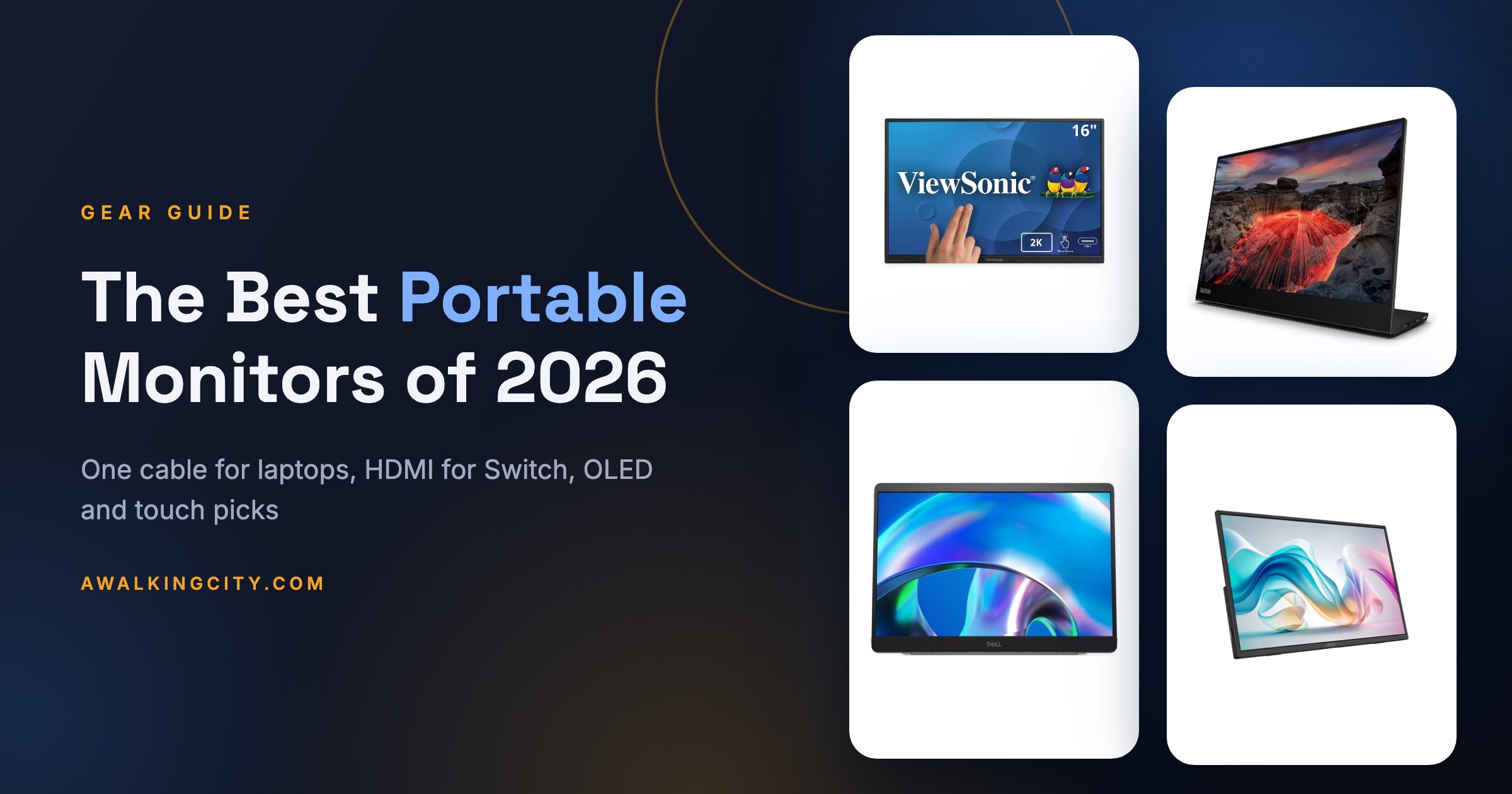
Quick answer: The best portable monitor for most laptop owners is the ViewSonic TD1656-2K ($379.99 at ViewSonic), a 16-inch 2560 x 1600 touchscreen that runs off one USB-C cable and ships with a cover that folds into a stand. If you fly a lot and want something lighter, the 1.5-pound Lenovo ThinkVision M14t Gen2 has a hinged stand and a stylus. If you mostly want a second screen for a Nintendo Switch or a cheap desk extension, the MSI Pro MP165 E6 is one of the few with a full-size HDMI port.
Our picks at a glance:
- Best overall: ViewSonic TD1656-2K
- Best for travel and touch: Lenovo ThinkVision M14t Gen2
- Best for bright rooms: Dell Pro 14 Plus (P1425)
- Best budget pick (and for Switch): MSI Pro MP165 E6
- Best OLED: ViewSonic VX1655-4K-OLED
- Best premium pick for Mac owners: espresso Pro 15
- Best 14-inch for color work: HP Series 5 Pro 514pn
- Best for gaming: NexiGo NG17FGQ
Three questions sort this category faster than any spec sheet. First, does your laptop's USB-C port carry video (DisplayPort Alt Mode or Thunderbolt)? If it does, every monitor here runs on a single cable that carries both picture and power. If it doesn't, you need a model with HDMI, plus a second cable for power. Second, what are you plugging in besides the laptop? A Nintendo Switch 2 only outputs video through its dock's HDMI port, while a Steam Deck sends DisplayPort over its USB-C port. Third, where will you use it? PCMag notes that most portable monitors it measures cluster around 180 to 200 nits, which is fine at a desk and weak next to a sunny hotel window.
Resolution matters more than it looks on a box. A 15.6-inch 1080p panel is fine for spreadsheets and email, but it looks soft next to a modern laptop screen. The 2560 x 1600 and 4K models below match a MacBook or a high-end Windows ultrabook much more closely, and they cost more because of it.
How they compare
| Monitor | Best for | Screen | Inputs | Touch | Weight | Price |
|---|---|---|---|---|---|---|
| ViewSonic TD1656-2K | Best overall | 16in IPS, 2560 x 1600 | 2x USB-C, no HDMI | Yes, pen included | 1.8 lb (2.8 lb with cover) | $379.99 at ViewSonic |
| Lenovo ThinkVision M14t Gen2 | Travel and touch | 14in IPS, 2240 x 1400 | 2x USB-C, no HDMI | Yes, stylus included | 1.5 lb | Check live price |
| Dell Pro 14 Plus (P1425) | Bright rooms | 14in matte IPS, 1920 x 1200 | 2x USB-C, no HDMI | No | 1.4 lb | $244.99 at Dell |
| MSI Pro MP165 E6 | Budget, Switch | 15.6in IPS, 1920 x 1080 | Full-size HDMI + 2x USB-C | No | 1.7 lb | Check live price |
| ViewSonic VX1655-4K-OLED | OLED | 15.6in OLED, 3840 x 2160 | Mini HDMI + 2x USB-C | No | 1.5 lb | $499.99 at ViewSonic |
| espresso Pro 15 | Mac owners | 15.6in LCD, 3840 x 2160 | 2x USB-C (HDMI by adapter) | Yes, Mac and Windows | 1.76 lb (plus 20 oz stand) | $699 at espresso |
| HP Series 5 Pro 514pn | Color on 14 inches | 14in mini LED IPS, 2560 x 1600, 75Hz | 2x USB-C, no HDMI | No | 1.4 lb | Check live price |
| NexiGo NG17FGQ | Gaming | 17.3in IPS, 1920 x 1080, 300Hz | HDMI + USB-C | No | 2.2 lb | Check live price |
1. ViewSonic TD1656-2K: Best overall
- Screen: 16-inch IPS, 2560 x 1600 (16:10) at 60Hz
- Inputs: 2x USB-C with DisplayPort Alt Mode, no HDMI
- Power delivery: up to 65 watts (PCMag)
- Touch: 10-point finger and pen input; macOS touch needs ViewSonic's vTouch software
- In the box: Smart Cover that doubles as a stand, passive pen, USB-C cable
- Weight: 1.8 lb bare, 2.8 lb with the cover (ViewSonic)
- Warranty: 3 years
Tom's Hardware ranks the TD1656-2K first and PCMag gives it an Editors' Choice, and the reasons are easy to see on paper. It pairs a 16-inch, 2560 x 1600 panel with touch input, a pen, and a cover that protects the glass in a bag and folds into an adjustable stand on the desk. Tom's Hardware names it its best overall portable monitor and calls it "the sweet spot," noting that most screens at this price are stuck at 1080p or 1200p. Its reviewer measured 363 nits, the brightest result in that roundup, while PCMag measured 395 nits and 99% sRGB coverage and gave it an Editors' Choice.
The catch is connections. There is no HDMI port at all, just two USB-C ports, so it needs a laptop (or handheld) with video over USB-C. That rules out a docked Nintendo Switch without an adapter. Tom's Hardware also flags an on-screen menu with only basic picture controls, and PCMag wanted a headphone jack and better speakers and stylus. ViewSonic's own store lists it at $379.99, up from the $349.99 PCMag reviewed it at. At 2.8 pounds with the cover on, it is also heavier in a bag than the 14-inch picks below.
Price
$379.99 at ViewSonic
Carry weight
2.8 lb with cover
Cables to run it
One USB-C
What works
- 2560 x 1600 on a 16-inch panel for less than most 4K models
- Touch and pen on Windows, and on macOS with vTouch
- Cover protects it in a bag and works as a stand
What doesn't
- No HDMI port for consoles or older laptops
- Basic on-screen menu and no headphone jack
- Heaviest of the single-screen work picks once the cover is on
Product video: ViewSonic TD1656-2K | Portable Touch Monitor | Take Productivity with You by ViewSonic
2. Lenovo ThinkVision M14t Gen2: Best for travel and touch
- Screen: 14-inch IPS, 2240 x 1400 (16:10), 189 pixels per inch
- Inputs: 2x USB-C with DisplayPort Alt Mode and power delivery, no HDMI
- Pass-through charging: up to 65W (Lenovo)
- Touch: 10-point touch, stylus included
- Stand: built-in hinged stand, tilts from minus 5 to 90 degrees
- Weight: 1.5 lb (PCMag)
- Warranty: 3 years
The M14t Gen2 is the easiest monitor here to forget is in your backpack. It weighs 1.5 pounds, and instead of an origami cover it has a hinged foot that tilts the screen and props it up in portrait mode, which Tom's Hardware's buying advice also prefers over fold-up covers. PCMag gave it an Editors' Choice as its best touch-screen productivity monitor, citing 99.9% sRGB coverage, a 1,470:1 contrast measurement, and a 189 ppi panel that looks sharp next to a 14-inch laptop. RTINGS ranks it as its best mid-range portable monitor and says its colors are more accurate out of the box than the far pricier espresso.
The trade-off is brightness. PCMag measured 245 nits against a 300-nit rating, and RTINGS says it is "best used in a dim or dark space," adding that the glossy screen handles reflections poorly. It is USB-C only, and Lenovo does not include a power adapter, so if your laptop can't power it, you supply your own USB-C charger. Retail prices for this model swing a lot between sellers, so check the live price rather than trusting an old listing.
Price
Check live price
Carry weight
1.5 lb
Cables to run it
One USB-C
What works
- Light, with a hinged stand instead of a floppy cover
- Near-full sRGB coverage and accurate color per PCMag and RTINGS
- Touch and stylus in the box
What doesn't
- Dim for sunny rooms, with a reflective glossy screen
- USB-C only, no HDMI
- No power adapter included
Product tour: Lenovo ThinkVision M14t Gen 2 Portable Monitor Product Tour by Lenovo
3. Dell Pro 14 Plus (P1425): Best for bright rooms
- Screen: 14-inch matte IPS, 1920 x 1200 (16:10), 160 pixels per inch
- Rated brightness: 400 nits; PCMag measured 442
- Inputs: 2x USB-C with DisplayPort Alt Mode, up to 65 watts power delivery, no HDMI
- Touch: no
- Weight: 1.4 lb (PCMag)
- Warranty: 3 years
- Street price: $244.99 at Dell.com (read October 11, 2026)
If you work near windows, in coffee shops, or in a hotel lobby, the P1425 is the one to look at. PCMag calls it "easily the brightest non-OLED portable monitor" it has tested, measuring 442 nits against a 400-nit rating, along with a 1,630:1 contrast ratio and a Delta E color error of 1.8, which is accurate enough for photo work. RTINGS names it its best budget portable monitor and points to the matte coating, which handles reflections better than the glossy Lenovo. Like the Lenovo, it has a hinged base and turns into portrait mode by standing it on its side.
It gives up touch, and at 1920 x 1200 it is less sharp than the Lenovo or HP, which RTINGS notes makes text a bit softer. There is no real on-screen menu either: you get a power button, brightness buttons, and a rotate button, and that's it. The two USB-C ports are the only inputs. Dell's own store had it at $244.99 when we checked, down from a listed $259.99 and well under the $329.99 PCMag reviewed it at, which makes it better value than its business-monitor name suggests.
Price
$244.99 at Dell
Carry weight
1.4 lb
Cables to run it
One USB-C
What works
- Brightest non-OLED screen PCMag has measured
- Matte finish cuts reflections
- Accurate color and full sRGB coverage
What doesn't
- No touch input
- Lower resolution than the Lenovo and HP
- Minimal controls with no menu
Video: First Look at the Dell Pro 14 Plus Portable Monitor - P1425 by JessTechSpice
4. MSI Pro MP165 E6: Best budget pick (and for Nintendo Switch)
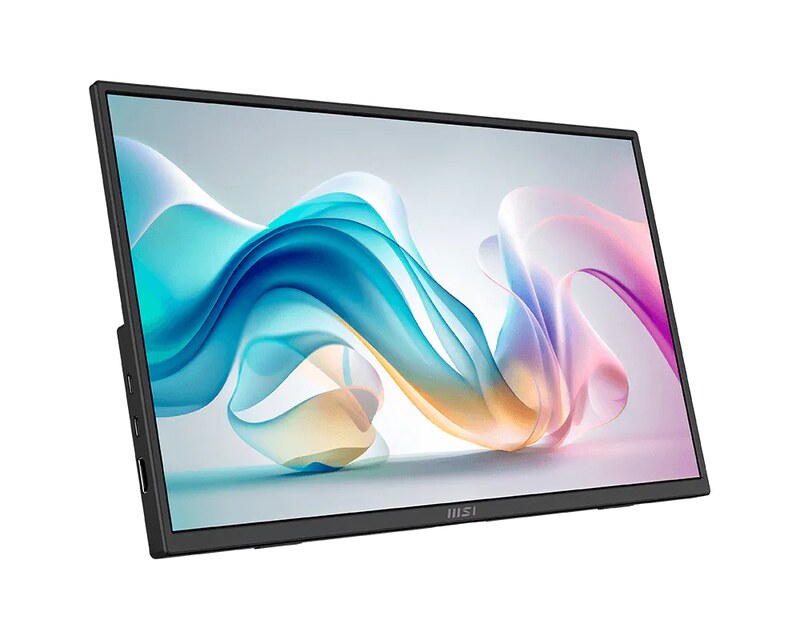
- Screen: 15.6-inch matte IPS, 1920 x 1080 at 60Hz
- Inputs: full-size HDMI, 2x USB-C with DisplayPort Alt Mode, 3.5mm headphone jack
- In the box: USB-C cable, HDMI cable, carry bag
- Stand: built-in tilt kickstand with a tripod socket, plus 75mm VESA holes
- Speakers: two 1-watt
- Weight: 1.7 lb (PCMag)
- Warranty: 3 years
Most cheap portable monitors cut corners on the stand or the ports. The MP165 E6 doesn't, which is why PCMag made it its best budget pick with an Editors' Choice in its September 2026 review. The headline is a full-size HDMI port, which PCMag says it rarely sees on a portable monitor. That makes it the easy choice for a Nintendo Switch or Switch 2: the console only sends video out of its dock's HDMI port, so you plug the dock straight in with a normal HDMI cable, no mini-HDMI adapter needed. It also runs from a single USB-C cable on laptops that support video over USB-C. PCMag measured 335 nits, well above its 250-nit rating, and 1,142:1 contrast.
Color is where the price shows. PCMag measured just 51.7% sRGB coverage and noticed muted reds, so photos look flat and this is not a screen for editing pictures. The rocker-switch menu controls are awkward, and 1080p stretched over 15.6 inches is noticeably softer than the 2K and 4K picks. PCMag reviewed it at $94.99; prices on budget monitors move constantly, so check the live price.
Price
Check live price ($94.99 at review)
Carry weight
1.7 lb
Cables to run it
One USB-C, or HDMI plus USB-C power
What works
- Full-size HDMI for consoles and older laptops
- Brighter than rated in PCMag's testing
- Kickstand, tripod socket and VESA mounting
What doesn't
- Narrow color range with muted reds
- Clunky menu controls
- 1080p looks soft at this size
Video review: Affordable Portable Monitor for Gaming & Travel | MSI PRO MP165 E6 Review by ETA PRIME
5. ViewSonic VX1655-4K-OLED: Best OLED
- Screen: 15.6-inch OLED, 3840 x 2160 at 60Hz, 10-bit, 282 pixels per inch
- Inputs: mini HDMI 2.0, 2x USB-C (up to 60 watts power delivery), 3.5mm jack
- In the box: power adapter, mini HDMI to HDMI, USB-C to USB-C and USB-C to USB-A cables
- Stand: built-in hinged kickstand with a tripod mount
- Weight: 1.5 lb
- Warranty: 3 years
- Street price: $499.99 at ViewSonic (read October 11, 2026)
If you edit photos or video on the road, or just want the best-looking picture you can fit in a laptop sleeve, this is it. PCMag calls the VX1655-4K-OLED "perhaps the most impressive portable monitor" it has encountered for image quality and gave it an Editors' Choice for creative pros. Its reviewer measured 558 nits against a 400-nit rating, 98.9% DCI-P3 and 98.5% Adobe RGB coverage, and a 282 ppi pixel density that PCMag says exceeds Apple's Retina displays. It also covers the connection bases: mini HDMI for a console or older laptop, two USB-C ports, and ViewSonic includes a power adapter and the cables for all of them.
The weak spots are practical. PCMag found the joystick and ports, which sit inside the kickstand, awkward to reach from the front. It runs at 60Hz with no adaptive sync, so it is a movie and editing screen rather than a gaming one. And at $499.99 on ViewSonic's store it costs more than the TD1656-2K while lacking touch.
Price
$499.99 at ViewSonic
Carry weight
1.5 lb
Cables to run it
One USB-C, or mini HDMI plus power
What works
- Best measured brightness and color in this group
- 4K on 15.6 inches makes text very sharp
- Mini HDMI plus USB-C, with a charger in the box
What doesn't
- Pricey and no touch
- 60Hz with no adaptive sync
- Ports and joystick hidden in the stand
Unboxing: Unboxing the VX1655-4K-OLED 15.6" Ultra HD Monitor by ViewSonic North America
6. espresso Pro 15: Best premium pick for Mac owners

- Screen: 15.6-inch LCD, 3840 x 2160 at 60Hz, 550 nits (espresso)
- Color: 1.07 billion colors (8-bit + 2 FRC), 100% Adobe RGB (espresso)
- Inputs: 2x USB-C with power pass-through; HDMI needs an adapter cable sold separately
- Touch: works on Mac and Windows with the free espressoFlow app
- In the box: magnetic Stand+, 3ft USB-C cable, cleaning cloth
- Weight: 1.76 lb display, 20 oz stand
- Warranty: 2 years
RTINGS calls the espresso Pro 15 the best portable monitor it has tested, and Tom's Hardware names it its best pick for productivity. The appeal is the whole package for a MacBook user: a 4K panel with a pixel density higher than a MacBook Pro's, touch on macOS through espresso's own app (which also auto-rotates the picture when you turn the screen to portrait), and a magnetic Stand+ that can hold the screen beside your laptop or raised above it. Tom's Hardware measured it more than 50 percent brighter than the older 17 Pro, and espresso rates it at 550 nits.
The obvious catch is $699 on espresso's US store, which Tom's Hardware bluntly calls "exorbitant." RTINGS warns that the glossy screen throws strong mirror-like reflections and that it oversaturates colors in sRGB, which matters if you prepare images for the web. Tom's adds that the speakers are an afterthought. There is no HDMI port, and Nintendo Life found a Switch 2 needed its dock plus a separate HDMI-to-USB-C cable (an extra £60 in the UK) to work with it. The warranty is two years, one less than most picks here.
Price
$699 at espresso
Carry weight
Under 4 lb with stand (espresso)
Cables to run it
One USB-C
What works
- Sharp 4K panel with touch on macOS
- Magnetic stand raises it above a laptop screen
- Rated 550 nits with wide color
What doesn't
- $699 is the most here
- Glossy, and oversaturates sRGB content
- Two-year warranty and no HDMI
Video review: Espresso Display 15 Pro Review: Ultimate Display for Mac & iPad!? by AppleInsider
7. HP Series 5 Pro 514pn: Best 14-inch for color work
- Screen: 14-inch IPS Black with mini LED backlight (HP calls it Neo:LED), 2560 x 1600 (16:10) at 75Hz
- Rated: 400 nits, 2000:1 contrast
- Inputs: 2x USB-C with DisplayPort Alt Mode, up to 65 watts power delivery, no HDMI
- Stand: fold-out aluminum kickstand
- Weight: 1.4 lb, 0.35 inches thick
- Warranty: 3 years
PCMag's overall favorite portable monitor is this small HP, and its review explains why: a 14-inch, 2560 x 1600 panel that measured 409 nits, a 1,687:1 contrast ratio that is high for IPS, and full coverage of sRGB and Adobe RGB plus 99.1% of DCI-P3. That is creator-monitor color in a 1.4-pound slab only 0.35 inches thick. The fold-out kickstand is simple and sturdy, and the 75Hz refresh is a small bonus for scrolling.
It is USB-C only, and PCMag would have liked a protective sleeve: HP includes a thin magnetic front cover, but the reviewer used a laptop sleeve to keep the aluminum from scratching. At 14 inches, it is also small next to a 15 or 16-inch laptop. PCMag reviewed it at $299; HP's store was not reachable when we checked, so look up the live price before you buy.
Price
Check live price ($299 at review)
Carry weight
1.4 lb
Cables to run it
One USB-C
What works
- Full sRGB and Adobe RGB coverage in PCMag's tests
- Bright, high-contrast panel for IPS
- Thin, light aluminum body with a sturdy kickstand
What doesn't
- No sleeve, just a thin cover
- USB-C only
- Small next to larger laptops
Video review: HP Series 5 Pro 14" Portable Monitor (2560x1600): MUST HAVE TRAVEL COMPANION by Andrew Marc David
8. NexiGo NG17FGQ: Best for gaming
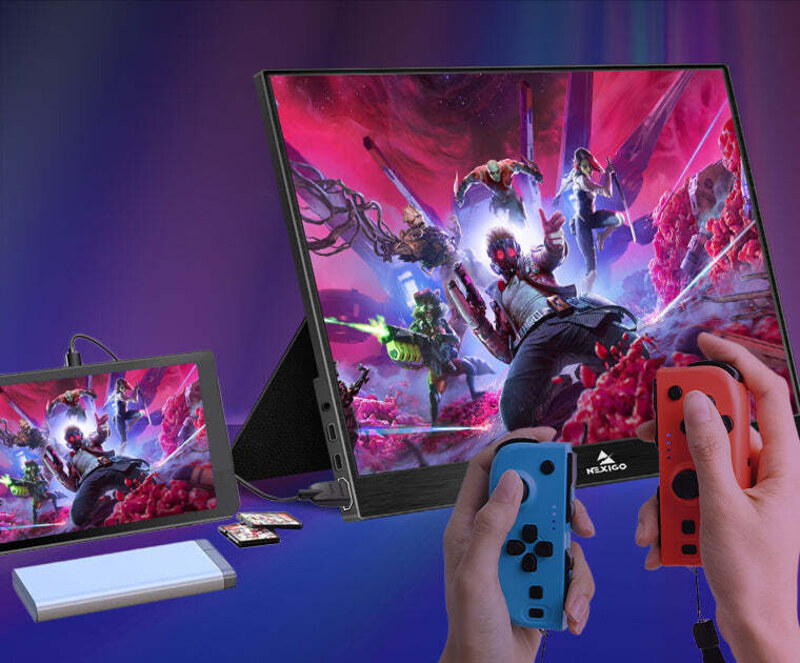
- Screen: 17.3-inch IPS, 1920 x 1080, up to 300Hz over USB-C (240Hz over HDMI)
- Adaptive sync: AMD FreeSync
- Inputs: HDMI 2.0, USB-C, separate USB-C power port
- In the box: neoprene cover, separate stand, HDMI and USB-C cables, IR remote
- Battery: none
- Weight: 2.2 lb (PCMag)
- Warranty: 1 year (PCMag)
Both Tom's Hardware and PCMag pick the NG17FGQ as their portable gaming monitor, and it is the only one here built for fast games. It runs at up to 300Hz with a gaming laptop over USB-C, or 240Hz over HDMI, with FreeSync, and the 17.3-inch screen is a real step up from a handheld's built-in display. PCMag plugged in a Nintendo Switch and found games looked crisp, and measured 100% sRGB coverage. Tom's Hardware praises its game performance and accurate color once calibrated. It also comes with nearly every cable you could want, a cover, and a remote for the menu.
The trade-offs are size, contrast, and support. At 2.2 pounds and 17.3 inches, it is a bag item, not a sleeve item. PCMag measured just 670:1 contrast out of the box, so dark scenes look gray, and Tom's Hardware says HDR doesn't add real extended color and that 300Hz can be fiddly to get running. The warranty is one year, the shortest here, and there's no battery. PCMag reviewed it at $449 in 2022, and portable gaming monitor prices move a lot, so check the live price.
Price
Check live price ($449 at launch)
Carry weight
2.2 lb
Cables to run it
One USB-C, or HDMI plus power
What works
- 300Hz over USB-C with FreeSync
- HDMI for a docked Switch or a console
- Remote, cover and cables in the box
What doesn't
- Low out-of-box contrast
- Large and heavier than the work picks
- One-year warranty, no battery
Video review: 300Hz LOW LAG Portable Gaming Monitor Review! NexiGo NG17FGQ 17.3 Inch by Madlittlepixel
Also worth a look
- Arzopa A1 ($79.99 at arzopa.com): Tom's Hardware's budget pick, a 15.6-inch 1080p screen with two USB-C ports, mini HDMI, a built-in kickstand and surprisingly decent speakers. Tom's measured only 228 nits and says color lags competitors.
- ViewSonic VG1656N ($329.99 at ViewSonic): Tom's Hardware's wireless pick, a 16-inch 1920 x 1200 screen with a built-in battery that can show up as an AirPlay display through ViewSonic's USB-C dongle. Tom's rates its color as poor.
Single cable, HDMI, Switch and Steam Deck: what actually connects
Laptops. If your laptop's USB-C port supports DisplayPort Alt Mode or Thunderbolt, one cable from the laptop carries video and power, as Tom's Hardware explains. Every pick above has at least two USB-C ports, and most pass charging through: plug a USB-C charger into the monitor's second port and it powers both the screen and your laptop (up to 65W on the Dell, HP and ViewSonic TD1656-2K, 60W on the OLED). If your laptop is short on USB-C ports, a dock solves that; see our best USB-C docks roundup.
Nintendo Switch and Switch 2. Nintendo's support pages say Switch 2 TV mode needs the Switch 2 dock, its own AC adapter, and an Ultra High Speed HDMI cable. BenQ's support FAQ says plugging a Switch 2 straight into a display over USB-C "will not work in most cases." In practice, that means a monitor with HDMI (the MSI's full-size port, the NexiGo's HDMI, or the OLED's mini HDMI) plus the dock in your bag.
Steam Deck. Valve's spec sheet lists DisplayPort over the Deck's USB-C port, up to 4K at 120Hz, so any USB-C monitor here can take its picture directly. The Deck's own charger is a 45W USB-C unit; with a pass-through monitor you can plug that charger into the monitor instead, the same way the reviews above describe charging a laptop, as long as the monitor passes enough power.
How we picked
This is desk research: we did not test, measure, or use these monitors ourselves. We started from the current portable monitor guides at Tom's Hardware and PCMag (both updated October 6, 2026) and RTINGS, kept models that at least one of them recommends, then pulled measured brightness, contrast and color numbers from PCMag's and Tom's individual reviews. Specs come from the makers' spec pages and datasheets, and Switch and Steam Deck details come from Nintendo, Valve, and BenQ support pages. Prices were read on maker stores on October 11, 2026; where a store blocked us, we say "check live price" instead of guessing.
Frequently asked questions
Can a portable monitor run on a single USB-C cable?
Yes, if your laptop's USB-C port carries video (DisplayPort Alt Mode or Thunderbolt). Then one cable provides both picture and power, and every monitor in this guide supports it. If your port is data-only, you need a monitor with HDMI plus a second USB-C cable for power, or a dock.
Will a portable monitor work with a Nintendo Switch 2?
Yes, through the dock. Nintendo says TV mode needs the Switch 2 dock, the Switch 2 AC adapter, and an Ultra High Speed HDMI cable, and BenQ notes that a direct USB-C connection will not work in most cases. So choose a monitor with an HDMI input, such as the MSI Pro MP165 E6 or the NexiGo NG17FGQ.
Can I use a portable monitor with a Steam Deck?
Yes. Valve lists DisplayPort over the Steam Deck's USB-C port, so a USB-C portable monitor takes its picture over one cable. To charge the Deck at the same time, use a monitor with power pass-through and plug the Deck's 45W charger into the monitor.
Is 1080p good enough for a 15.6-inch portable monitor?
For documents, chat and email, yes, and it keeps prices low. Text looks noticeably softer next to a modern laptop screen, though. The 14-inch 2560 x 1600 HP and 2240 x 1400 Lenovo, or the 4K ViewSonic OLED at 282 pixels per inch, are much closer to laptop sharpness.
Is an OLED portable monitor worth it?
If you edit photos or video, probably. PCMag measured the ViewSonic VX1655-4K-OLED at 558 nits with nearly full DCI-P3 and Adobe RGB coverage, far beyond typical portable screens. For spreadsheets and email, a $244.99 Dell P1425 or a touchscreen ViewSonic TD1656-2K is better value.
Do touchscreen portable monitors work on a Mac?
Only with the maker's software. Tom's Hardware notes the ViewSonic TD1656-2K needs ViewSonic's vTouch app for touch on macOS, and the espresso Pro 15 uses espresso's free espressoFlow app. Windows 11 supports touch on these monitors natively.
The bottom line
For most people, the ViewSonic TD1656-2K is the one to buy: big, sharp, touch-enabled, and running on one cable. If it will live in a backpack, the Lenovo ThinkVision M14t Gen2 is lighter with a better stand, and the MSI Pro MP165 E6 is the cheap, HDMI-equipped pick for a Switch. Packing for a long trip? Our travel router guide covers the other gadget worth bringing.
Some links in this article are affiliate links that may earn us a commission at no extra cost to you. Affiliate relationships never affect our rankings, and no manufacturer paid to appear here. Links to maker stores and to PCMag, Tom's Hardware and RTINGS reviews are not affiliate links. Prices were recorded on October 11, 2026, and will change.